One tap
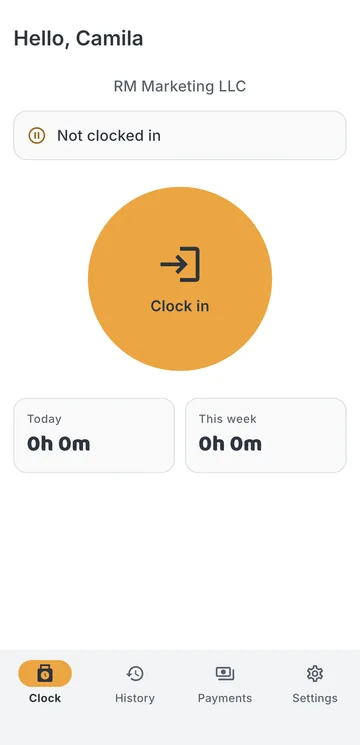
A big button that works in a glove, with a confirmation so a pocket does not punch by itself.

iPhone app
BuildMore: Job Site Time Clock is the app your crew uses on site. It is free on the App Store for iPhone. Workers sign in with the company code, their e-mail and the password their employer set, clock in and out with one tap, and follow their own hours and payments.
Android app coming to Google Play. The web panel works in any browser.
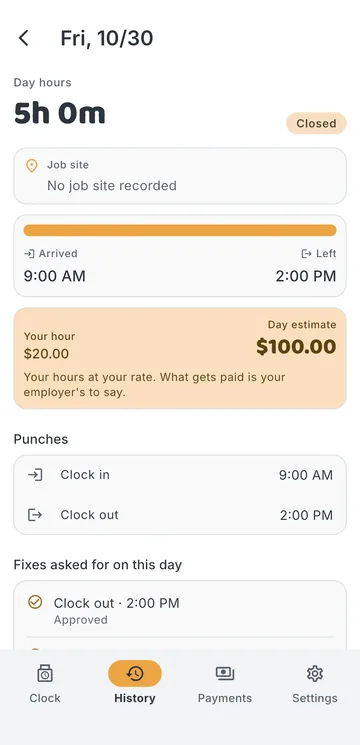
Each day with its punches, the job site and any correction the manager made.
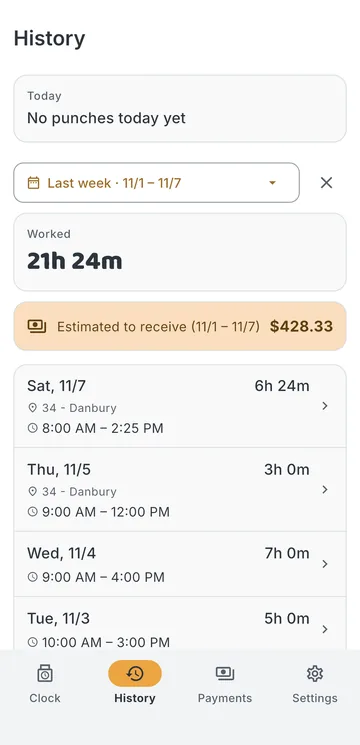
The week from Sunday to Saturday, and the four weeks before it.
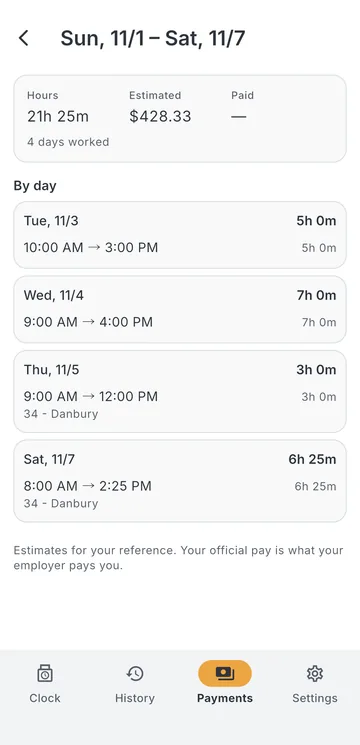
The payments your employer recorded, period by period.
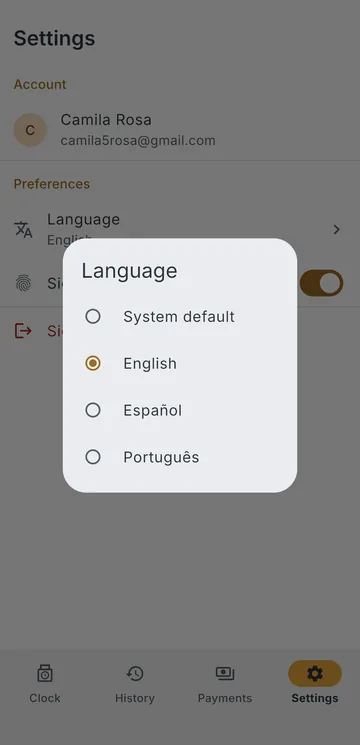
English, Spanish or Portuguese, chosen by each person.
A big button that works in a glove, with a confirmation so a pocket does not punch by itself.
Punches are saved on the phone and sent when the connection comes back.
Only when the company asks for it. Face ID can open the app instead of typing a password.
The app reads where you are when you press the button, and never in the background.
Today, the week, an earnings estimate and the payments recorded. Only yours.
English, Spanish or Portuguese, with times in AM/PM in all three.
Running a company? Set up your account first; the app is for the people you add. Step by step for the crew: clock in and out.
Yes, the app is free to download. It works for people whose employer has a BuildMore account.
No. You sign in with your company's code and the account your employer created. If you don't have one yet, ask your manager.
It is on its way to Google Play. The iPhone app is available now.
No. Only at the moment you clock in or out, to know which job site you are on.
30 days free, no card. Unlimited crew on every plan.